
 A better gaming setup does not always require a bigger house, a dedicated game room, or an expensive renovation. In many homes, the space already exists. It is simply buried under storage boxes, old furniture, cables, unused office equipment, and everything else that never found a permanent place.
Before buying another desk, monitor, chair, or lighting system, look at the room differently. A spare bedroom, corner of a home office, basement, or section of a garage can often become a much better gaming area once you remove what no longer needs to be there.
Clear the Space Before You Start Buying for It
The fastest way to make a room feel larger is to stop using it as storage.
Take everything out that does not contribute to how you actually want to use the space. Old sports equipment, unopened boxes, broken furniture, and household items waiting for “someday” can quickly consume the area that would otherwise hold a comfortable desk or seating setup.
If you are reclaiming part of a garage, the cleanup may extend beyond the gaming corner itself. Years of dirt around garage floors, driveways, and nearby outdoor areas can make the entire space feel neglected, and professional equipment and cleaning solutions from hotsyhouston can be useful when tackling the heavier cleaning jobs surrounding the area.
Do the messy work first. There is little point installing new furniture and electronics only to discover later that you still need to move everything to clean properly.
Decide What Kind of Gaming Space You Actually Need
Not every gamer needs the same room.
A PC setup may revolve around a desk, monitor position, keyboard space, and cable management. Console gaming may benefit more from comfortable seating, a larger screen, and enough distance between the player and television. If several people regularly play together, floor space and extra seating become more important.
Think about what you actually do rather than copying impressive setups online.
If you play for an hour in the evening, you may not need an enormous command-center desk. If you stream, work from the same computer, or spend long weekend sessions gaming, comfort and organization deserve more attention.
Measure the room before buying anything. A desk that looks perfectly proportioned in a product photo can overwhelm a small bedroom, while a huge gaming chair may block drawers or doors.
Design around the available space rather than trying to force the room around the furniture.
Get Rid of the Old Office Equipment Taking Up Your Desk
Gaming spaces often share territory with home offices, and that is where clutter can quietly take over.
Old printers, empty boxes, spare keyboards, outdated cables, and printer supplies can occupy shelves for years simply because nobody decides what to do with them. If you have unused toner from a printer you no longer own, https://www.selltoner.com offers a practical route for clearing out supplies that still have value instead of allowing them to sit indefinitely in a drawer or cabinet.
Once unused equipment is gone, keep only the office items you genuinely need. A printer used twice a year does not necessarily deserve prime desk space. It may work perfectly well on a nearby shelf or in another room.
The same applies to paperwork. Move documents into proper storage instead of letting them compete with controllers, headphones, and charging equipment.
A gaming setup immediately feels more intentional when the desk contains only things connected to what you actually do there.
Fix the Cable Problem Before It Gets Worse
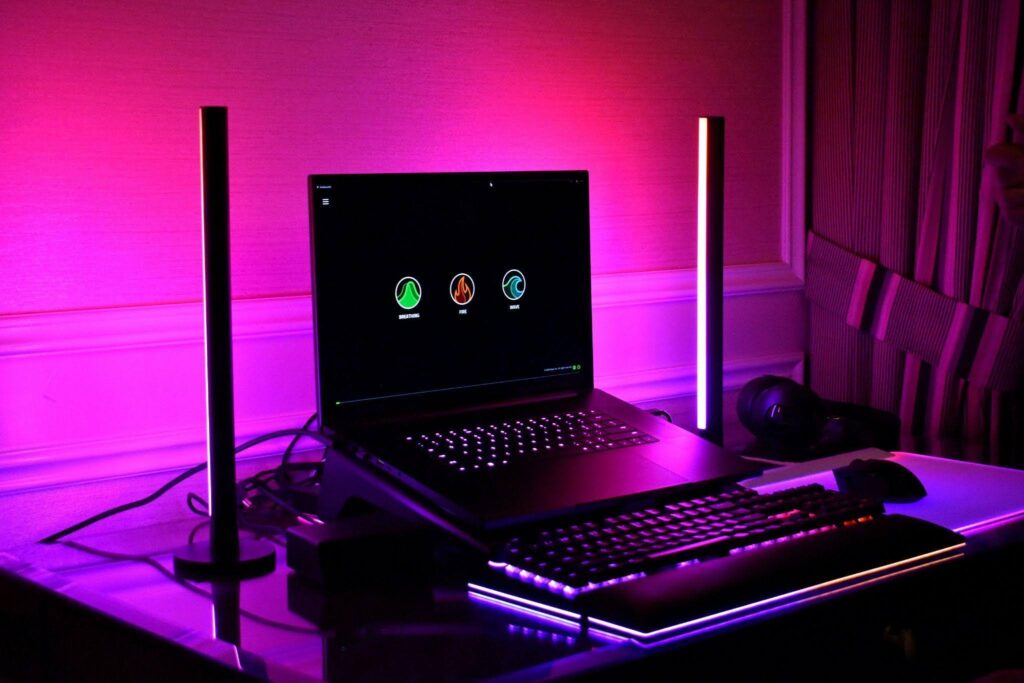
Nothing makes a carefully planned gaming setup look unfinished faster than a nest of cables.
Start with the obvious question: does every cable behind the desk still connect to something you use?
Remove abandoned chargers, obsolete adapters, and cables left behind by hardware you replaced years ago. Then group the remaining ones by where they need to go.
Cable trays underneath the desk can keep power strips off the floor, while clips or sleeves can stop monitor, speaker, and charging cables from spreading in every direction. Leave enough slack that you can still move equipment without unplugging half the setup.
Labeling less obvious cables can save time later, particularly when several similar-looking cords disappear behind the desk.
Good cable management is not only about appearance. It also makes cleaning easier and reduces the frustration of tracing one cable through a tangled pile whenever you change a piece of hardware.
Improve Comfort Before Adding More Decoration
RGB lighting and wall displays can make a gaming room look impressive, but comfort matters far more once you have been sitting there for three hours.
Start with chair height, desk height, and monitor position. Your screen should be comfortable to view without constantly tilting your neck, and your keyboard and mouse should sit where your arms can remain relaxed.
Lighting deserves attention too. Playing in a completely dark room with one bright screen can become uncomfortable. Soft background lighting can reduce the harsh contrast while also giving the room more atmosphere.
Temperature and airflow matter, particularly in smaller rooms containing a gaming PC, monitors, consoles, and other electronics that generate heat.
If you use headphones most of the time, give them a dedicated hook or stand instead of leaving them on the desk. Controllers and handheld devices should also have a predictable charging location.
Convenience is one of the things that makes a gaming setup feel genuinely good to use.
Use the Walls Instead of Filling the Floor
When floor space is limited, vertical storage becomes particularly valuable.
Shelves can hold games, collectibles, consoles, books, and accessories without requiring another cabinet. Wall-mounted hooks work well for headphones, while pegboards can organize controllers and smaller equipment.
This is also where you can make the room feel personal.
Display a few things you genuinely like rather than trying to cover every wall with gaming merchandise. Framed artwork from a favorite game, a small collection, or one shelf dedicated to memorable hardware can give the room personality without making it feel crowded again.
Leave some empty space. A room does not look unfinished just because every surface is not occupied.
In fact, one of the biggest upgrades you can make is simply giving everything enough room to breathe.
Build a Setup That Is Easy to Keep Clean
The best gaming space is not the one that looks perfect immediately after you finish setting it up. It is the one that still looks good several months later.
Make cleaning easy from the beginning. Keep unnecessary items off the floor, leave enough space to vacuum around the desk, and avoid storage systems that require moving ten objects every time you want to dust.
Keep a small cloth nearby for screens and desk surfaces, empty cups and food packaging regularly, and give controllers, headphones, and accessories a permanent home.
Every few months, revisit the setup and remove anything that has quietly accumulated without being used.
You may eventually decide you want a larger monitor, better chair, new speakers, or more powerful PC. Those upgrades can certainly improve the experience.
But before spending money, reclaim the space you already have. Remove the storage, clear the old office equipment, solve the cables, improve comfort, and give the things you actually use a proper place.
A better gaming room often begins with less stuff, not more.